Your screenshot.
Sized for the web.

An open-source Mac app that turns any screen selection into a polished, exact-size image using your own Codex account.

See the workflow
Local Mac app Your Codex account Exact output sizes
Thumbnail 1200 × 630
⌥⌘4 Capture an area1 click Choose a presetExact width × heightReady on your clipboard

Capture. Generate. Ship.

Skip the export dance. Your saved prompt and dimensions turn a rough screen selection into the asset the destination expects.

Capture, generate, copyA selected screen area becomes a 1200 by 630 image and is copied to the clipboard.1200 × 630
1

Capture an area

Use your configurable shortcut, just like the Mac screenshot tool.

2

Use a preset

Choose the prompt and ratio you already saved for this destination.

3

Copy and go

Codex generates the result at the exact size and puts it on your clipboard.

Make the file the site wants.

01

1200 × 630

Blog thumbnail

Capture your draft. Pick Thumbnail. Upload a site-ready image to Tinkerer.

Saved preset
02

1200 × 630

Open Graph image

Turn the page on your screen into a share image sized for your website metadata.

Saved preset
03

1024 × 1024

App icon

Switch to the Icon preset and reuse the same capture with a completely different prompt.

Saved preset

Your prompt and ratio,
saved together.

Create a card for every destination. Click a card to use it. Hover to edit the name, prompt, width, and height.
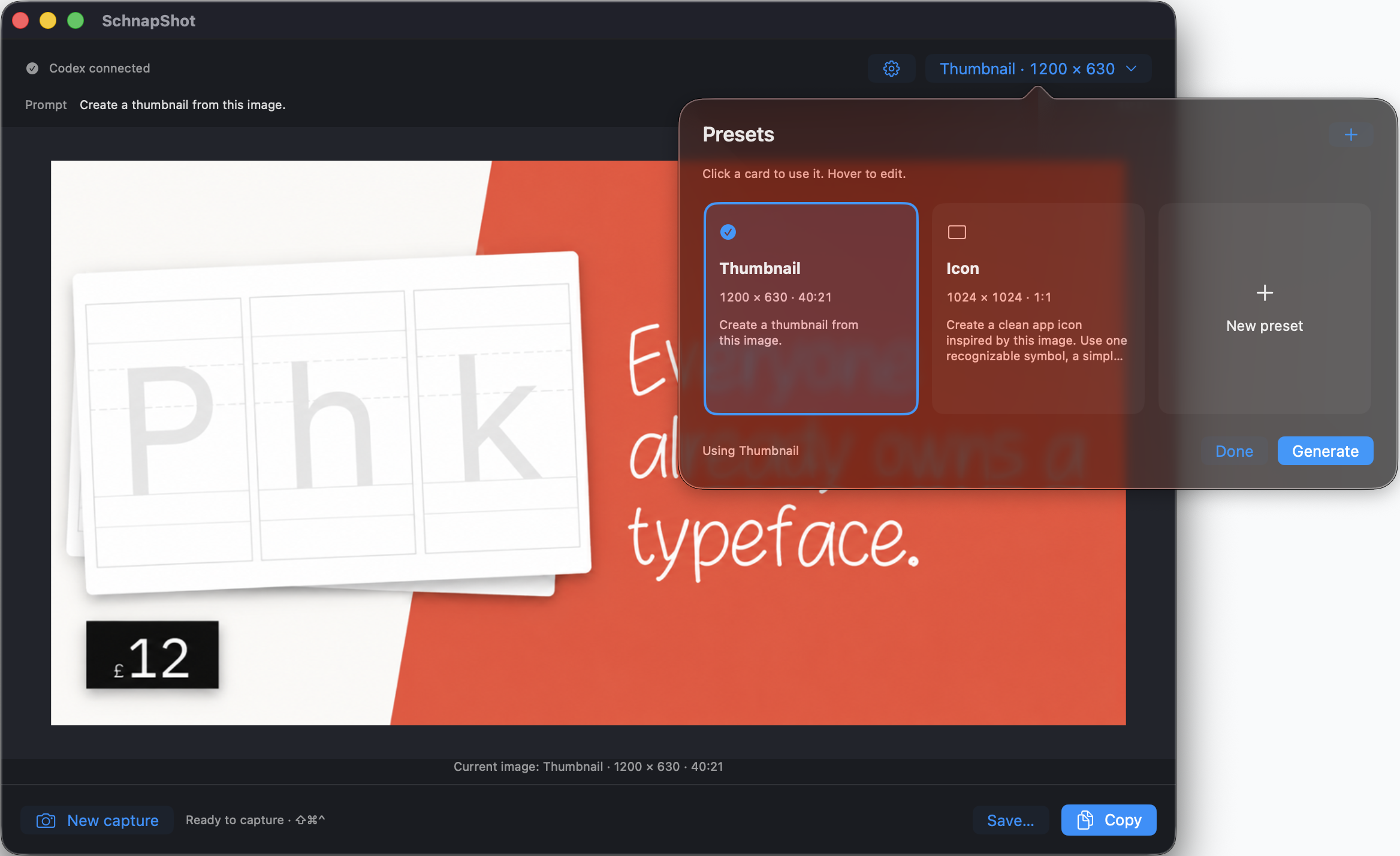
  • Three-column preset grid
  • Thumbnail and icon starters
  • Custom prompts and exact pixels
SchnapShot preset picker showing Thumbnail and Icon cards with sizes and prompts
Pick a card. Capture. The rest is remembered.

Local workflow. Your Codex account.

The Mac app handles capture, presets, output, and clipboard locally.

Only the screenshot you choose is sent to OpenAI for generation. Codex manages sign-in, and generation uses your Codex limits.

Maybe I can
vibe-code it myself?

You absolutely can. Here’s the math from building SchnapShot.

Mac app, landing page, and promo iterations.
437 model requests · 59.15M tokens

Explore the source
Cached input
$22.76
Uncached input
$8.28
Output
$3.70
Estimated API-equivalent costAll usage priced at GPT-5.6 Sol standard rates. USD.
$34.74
SchnapShot source codeOpen source · MIT licensed
FREE

An estimate, not our actual bill. The build used Sol and Astra through a Codex subscription.
Excludes separate image/video generation charges.

OpenAI API standard pricing · Usage snapshot and rates: 4 September 2026

SchnapShot orange shot-glass app icon

From screenshot to anything.

Open source. Build it on your Mac.
Requires macOS 14+ and Codex. Packaged download coming later.

Get the source